
Additional Kubernetes Clusters
Additional clusters
With Coder, you can deploy workspaces in additional Kubernetes clusters using different authentication methods in the Terraform provider.
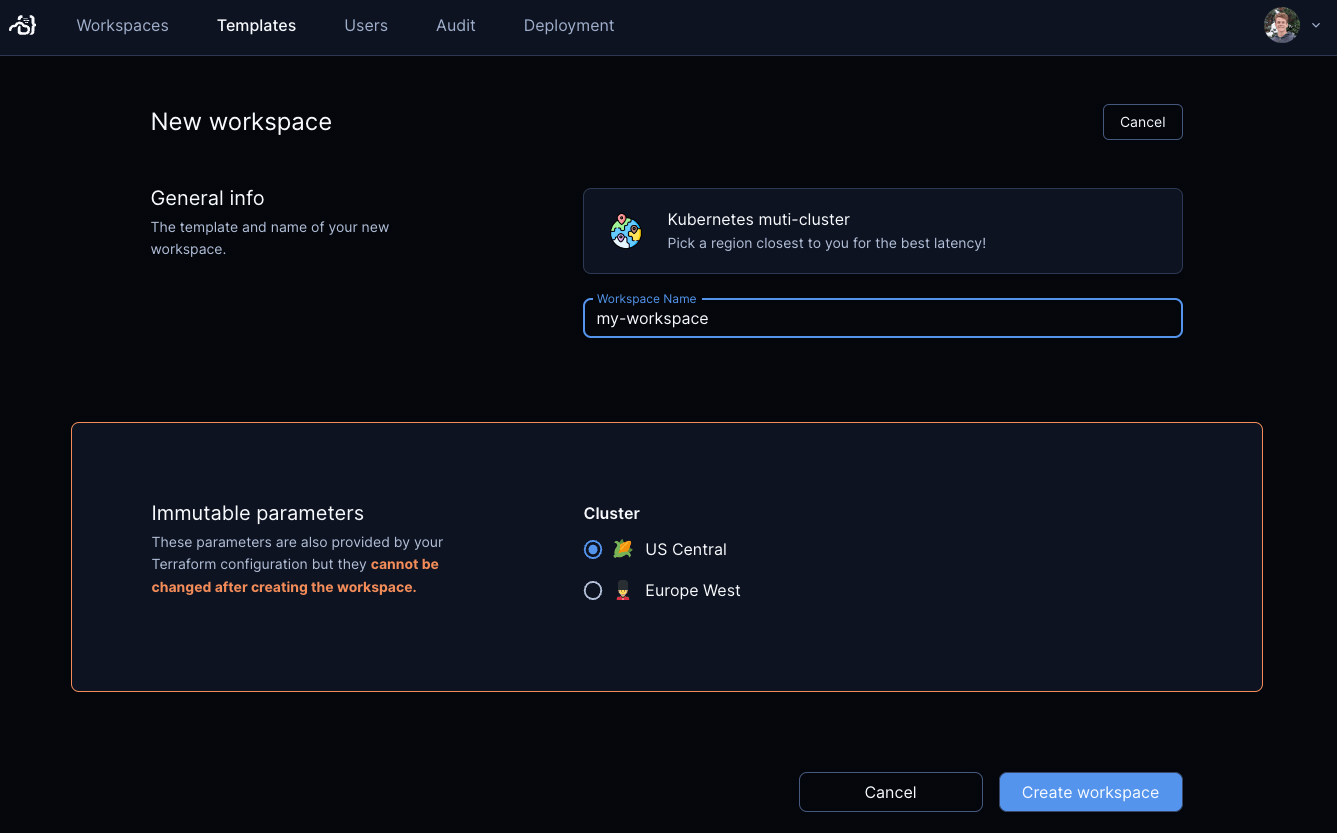
Option 1) Kubernetes contexts and kubeconfig
First, create a kubeconfig file with multiple contexts.
kubectl config get-contexts
CURRENT NAME CLUSTER
workspaces-europe-west2-c workspaces-europe-west2-c
* workspaces-us-central1-a workspaces-us-central1-a
Kubernetes control plane
If you deployed Coder on Kubernetes, you can attach a kubeconfig as a secret.
This assumes Coder is deployed on the coder namespace and your kubeconfig file
is in ~/.kube/config.
kubectl create secret generic kubeconfig-secret -n coder --from-file=~/.kube/config
Modify your helm values to mount the secret:
coder:
  # ...
  volumes:
    - name: "kubeconfig-mount"
      secret:
        secretName: "kubeconfig-secret"
  volumeMounts:
    - name: "kubeconfig-mount"
      mountPath: "/mnt/secrets/kube"
      readOnly: true
Upgrade Coder with these new values.
VM control plane
If you deployed Coder on a VM, copy the kubeconfig file to
/home/coder/.kube/config.
Create a Coder template
You can start from our example template. From there, add template parameters to allow developers to pick their desired cluster.
# main.tf

data "coder_parameter" "kube_context" {
  name         = "kube_context"
  display_name = "Cluster"
  default      = "workspaces-us-central1-a"
  mutable      = false
  option {
    name  = "US Central"
    icon  = "/emojis/1f33d.png"
    value = "workspaces-us-central1-a"
  }
  option {
    name  = "Europe West"
    icon  = "/emojis/1f482.png"
    value = "workspaces-europe-west2-c"
  }
}

provider "kubernetes" {
  config_path    = "~/.kube/config" # or /mnt/secrets/kube/config for Kubernetes
  config_context = data.coder_parameter.kube_context.value
}
Option 2) Kubernetes ServiceAccounts
Alternatively, you can authenticate with remote clusters with ServiceAccount tokens. Coder can store these secrets on your behalf with managed Terraform variables.
Alternatively, these could also be fetched from Kubernetes secrets or even HashiCorp Vault.
This guide assumes you have a coder-workspaces namespace on your remote
cluster. Change the namespace accordingly.
Create a ServiceAccount
Run this command against your remote cluster to create a ServiceAccount, Role, RoleBinding, and token:
kubectl apply -n coder-workspaces -f - <