
Agent Metadata
Agent metadata
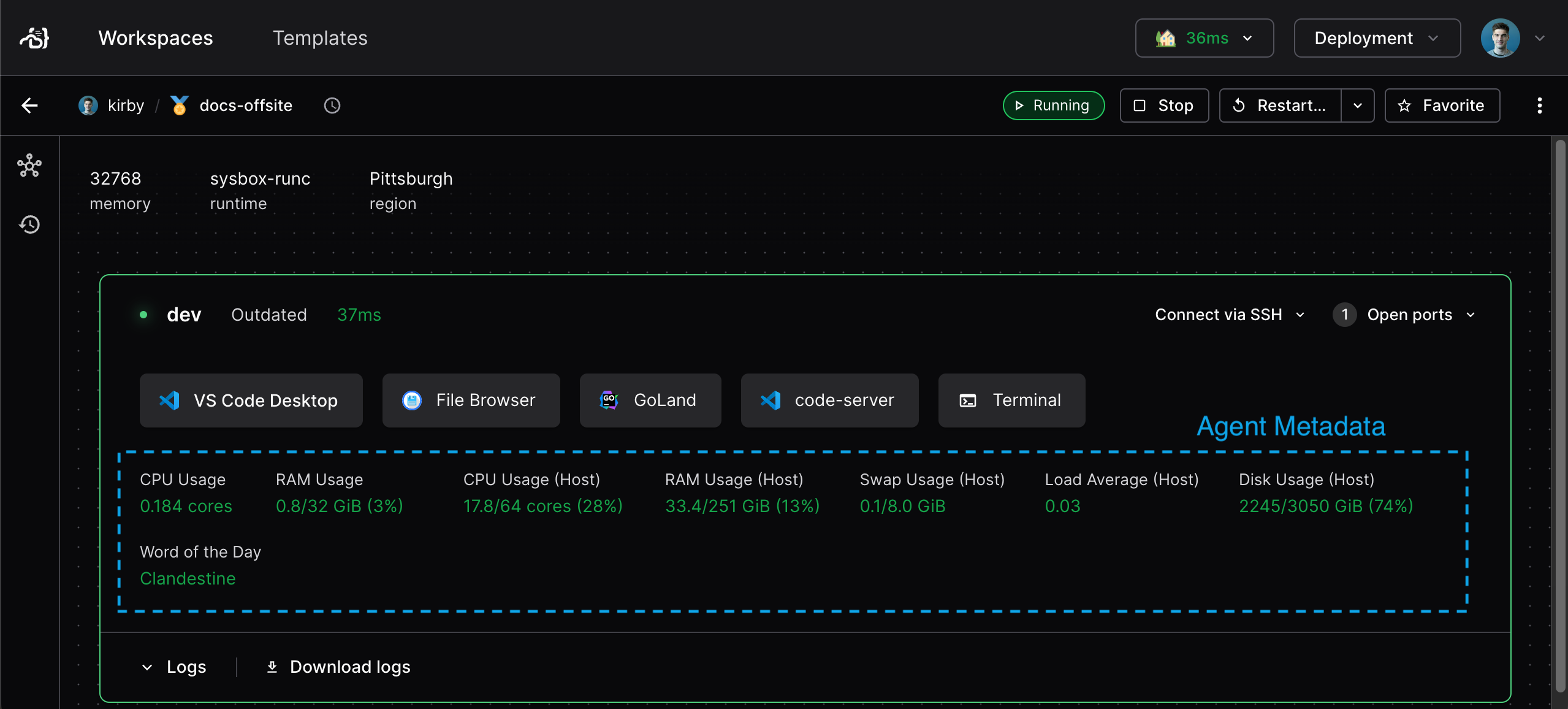
You can show live operational metrics to workspace users with agent metadata. It is the dynamic complement of resource metadata.
You specify agent metadata in the
coder_agent.
Examples
All of these examples use heredoc strings for the script declaration. With heredoc strings, you can script without messy escape codes, just as if you were working in your terminal.
Some of the examples use the coder stat
command. This is useful for determining CPU and memory usage of the VM or
container that the workspace is running in, which is more accurate than resource
usage about the workspace's host.
Here's a standard set of metadata snippets for Linux agents:
resource "coder_agent" "main" {
  os             = "linux"
  ...
  metadata {
    display_name = "CPU Usage"
    key  = "cpu"
    # Uses the coder stat command to get container CPU usage.
    script = "coder stat cpu"
    interval = 1
    timeout = 1
  }

  metadata {
    display_name = "Memory Usage"
    key  = "mem"
    # Uses the coder stat command to get container memory usage in GiB.
    script = "coder stat mem --prefix Gi"
    interval = 1
    timeout = 1
  }

  metadata {
    display_name = "CPU Usage (Host)"
    key  = "cpu_host"
    # calculates CPU usage by summing the "us", "sy" and "id" columns of
    # top.
    script = <