
Kilo Code
Kilo Code
> [!NOTE] > AI Gateway is part of AI Governance, which is > included with a Premium license.
Kilo Code allows you to configure providers via the UI and can be set up to use AI Gateway.
Centralized API Key
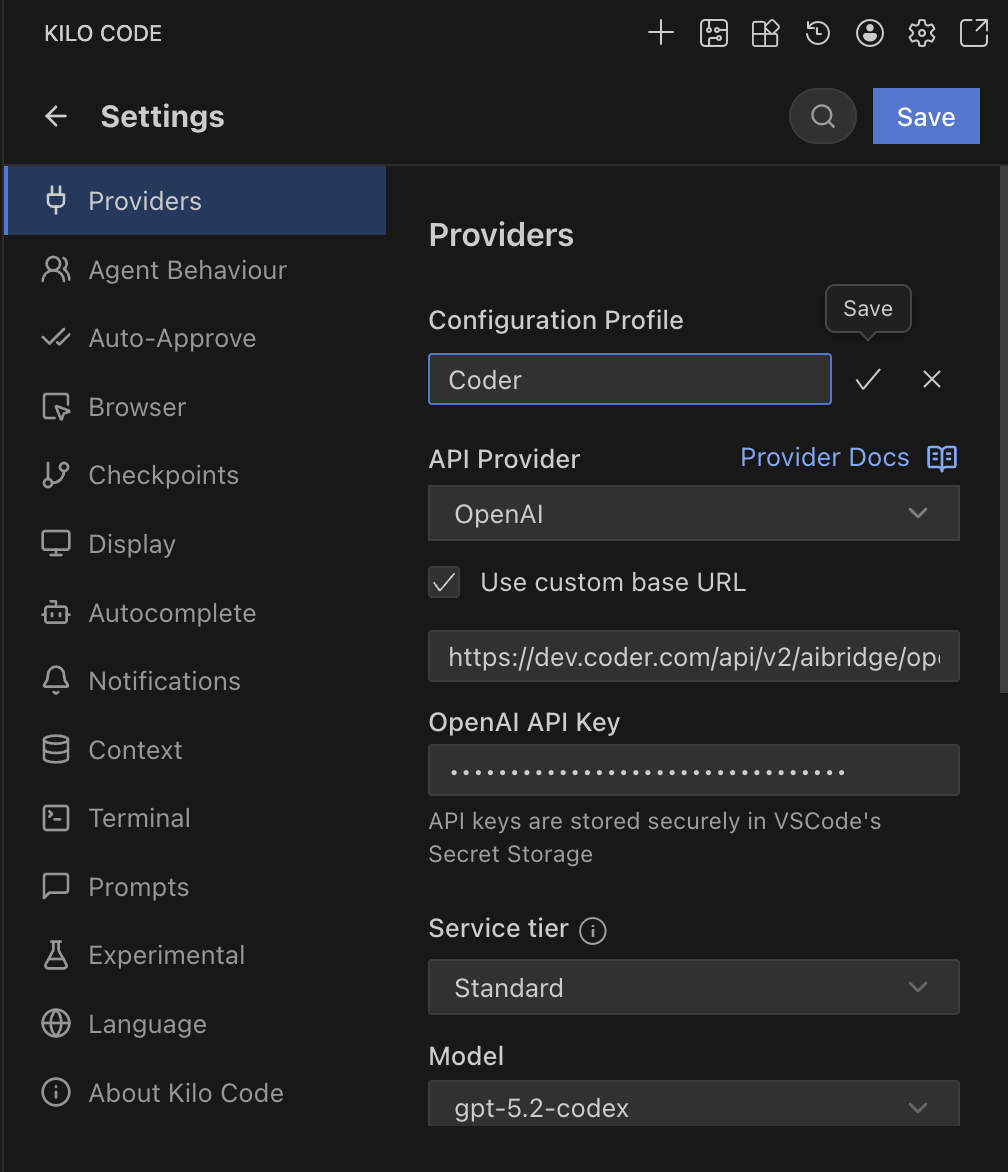
OpenAI Compatible
- Open Kilo Code in VS Code.
- Go to Settings.
- Provider: Select OpenAI.
- Base URL: Enter
https://coder.kyzdt.dev/api/v2/ai-gateway/openai/v1. - API Key: Enter your Coder API token.
- Model ID: Enter the model you wish to use (e.g.,
gpt-5.2-codex).
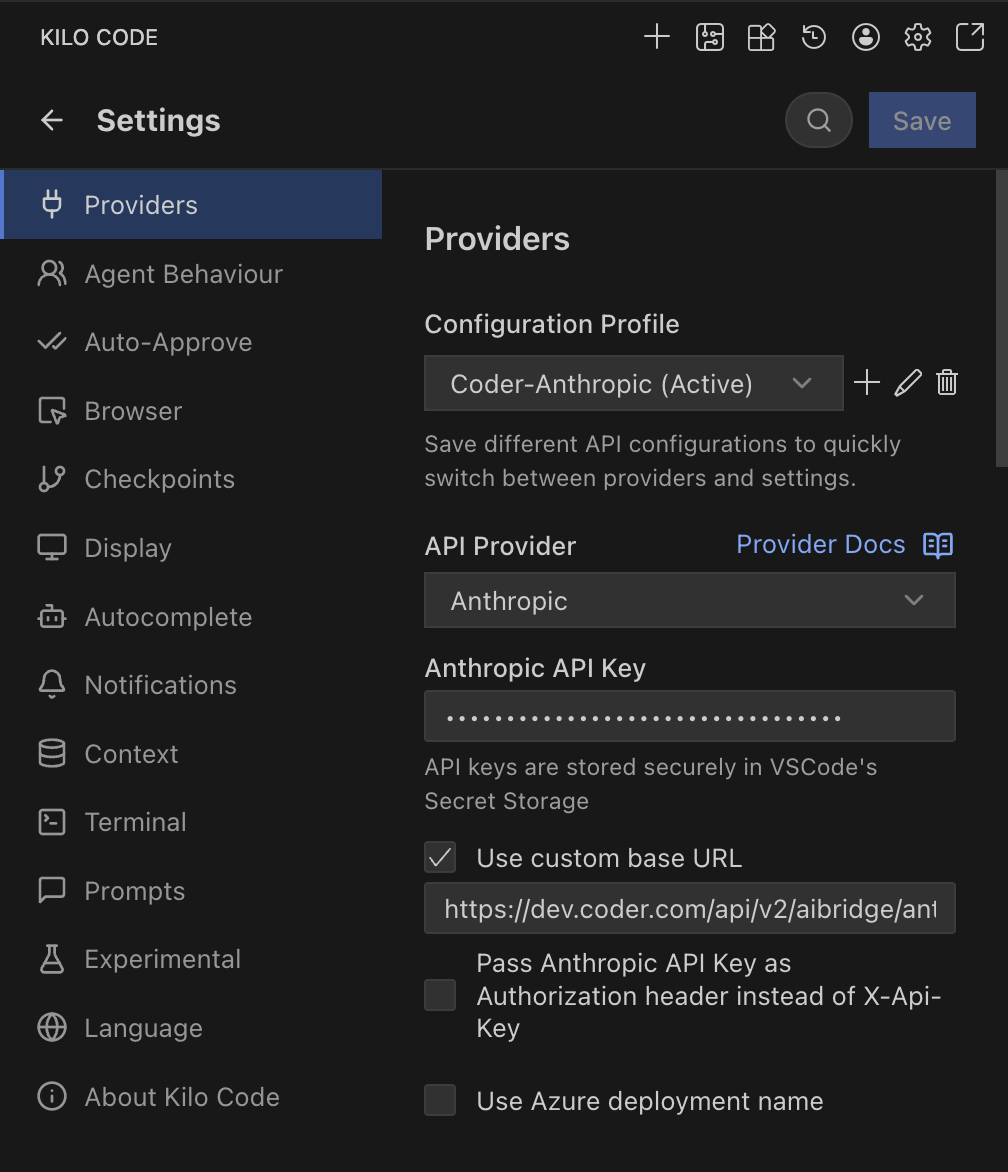
Anthropic
- Open Kilo Code in VS Code.
- Go to Settings.
- Provider: Select Anthropic.
- Base URL: Enter
https://coder.kyzdt.dev/api/v2/ai-gateway/anthropic. - API Key: Enter your Coder API token.
- Model ID: Select your desired Claude model.
BYOK (Personal API Key)
> [!NOTE] > Kilo Code supports sending custom headers, but the integration does not currently work reliably with AI Gateway.
References: Kilo Code Configuration