
JetBrains
JetBrains IDEs
> [!NOTE] > AI Gateway is part of AI Governance, which is > included with a Premium license.
JetBrains IDE (IntelliJ IDEA, PyCharm, WebStorm, etc.) support AI Gateway via the third-party model configuration feature.
Prerequisites
- JetBrains AI Assistant: Installed and enabled.
- Authentication: Your Coder API token.
Centralized API Key
- Open Settings: Go to Settings > Tools > AI Assistant > Models & API Keys.
- Configure Provider: Go to Third-party AI providers.
- Choose Provider: Choose OpenAI-compatible.
- URL:
https://coder.kyzdt.dev/api/v2/ai-gateway/openai/v1 - API Key: Paste your Coder API token.
- Apply: Click Apply and OK.
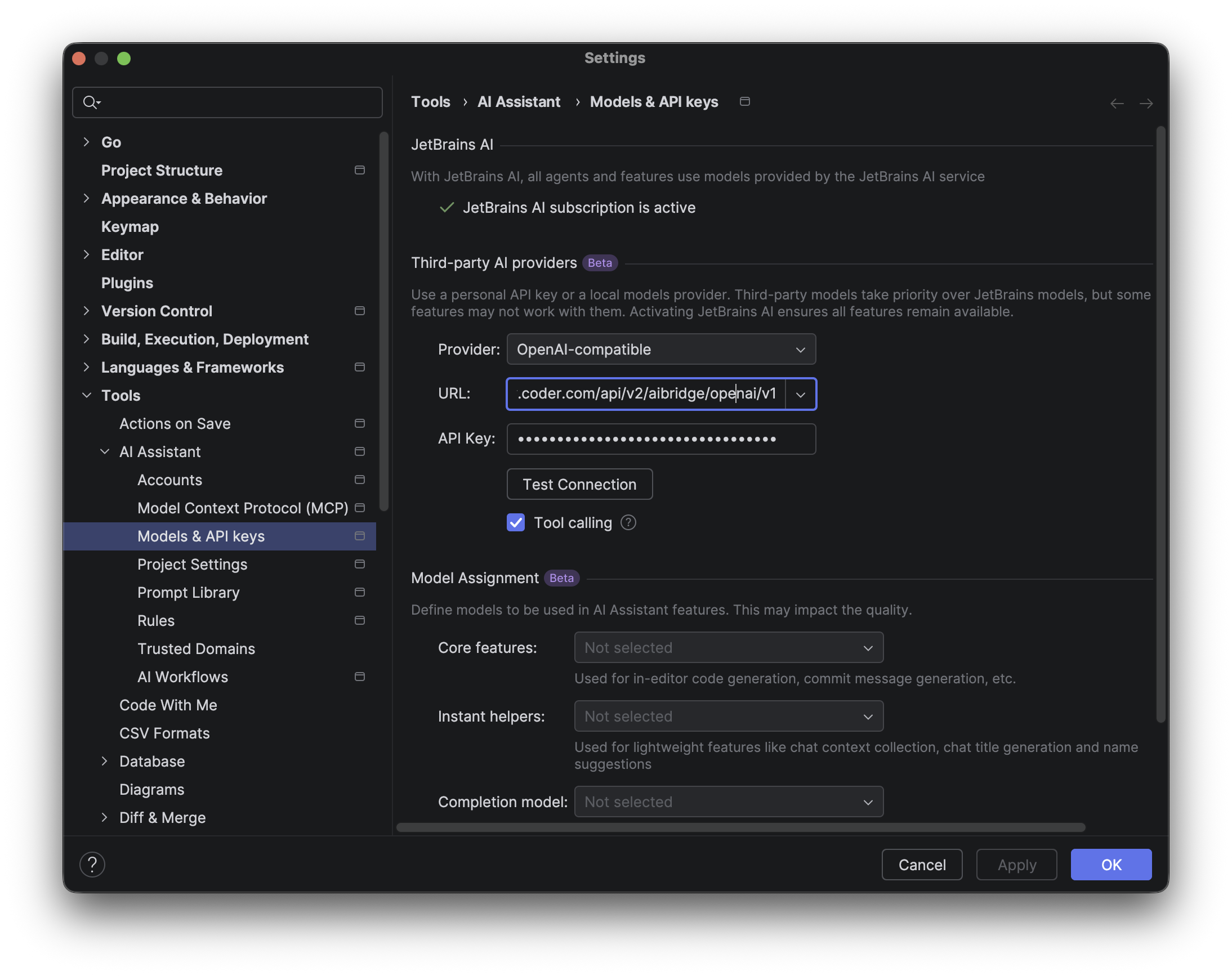
Using the AI Assistant
- Go back to AI Chat on theleft side bar and choose Chat.
- In the Model dropdown, select the desired model (e.g.,
gpt-5.2).
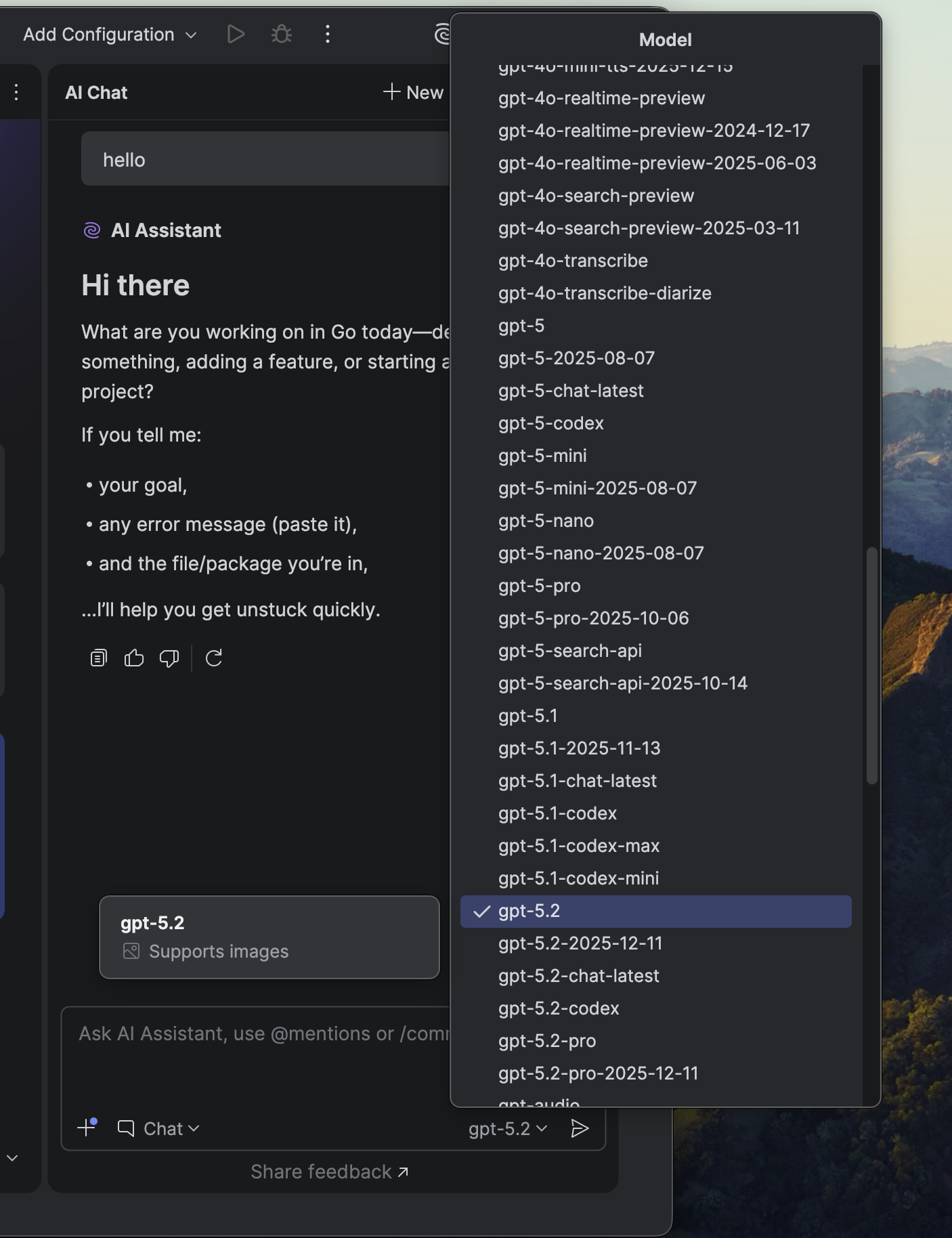
You can now use the AI Assistant chat with the configured provider.
> [!NOTE]
>
> * JetBrains AI Assistant currently only supports OpenAI-compatible endpoints. There is an open issue tracking support for Anthropic.
> * JetBrains AI Assistant may not support all models that support OpenAI's /chat/completions endpoint in Chat mode.
> * JetBrains AI Assistant does not send an identifying user agent, so AI Gateway records these sessions with the client Unknown. Usage, tokens, and audit data are still captured.
BYOK (Personal API Key)
> [!NOTE] > At the time of writing, JetBrains AI Assistant does not support sending custom headers, so BYOK mode is not available.
References: Use custom models with JetBrains AI Assistant