
Cline
Cline
> [!NOTE] > AI Gateway is part of AI Governance, which is > included with a Premium license.
Cline supports both OpenAI and Anthropic models and can be configured to use AI Gateway by setting providers.
Configuration
To configure Cline to use AI Gateway, follow these steps:
Centralized API Key
OpenAI Compatible
- Open Cline in VS Code.
- Go to Settings.
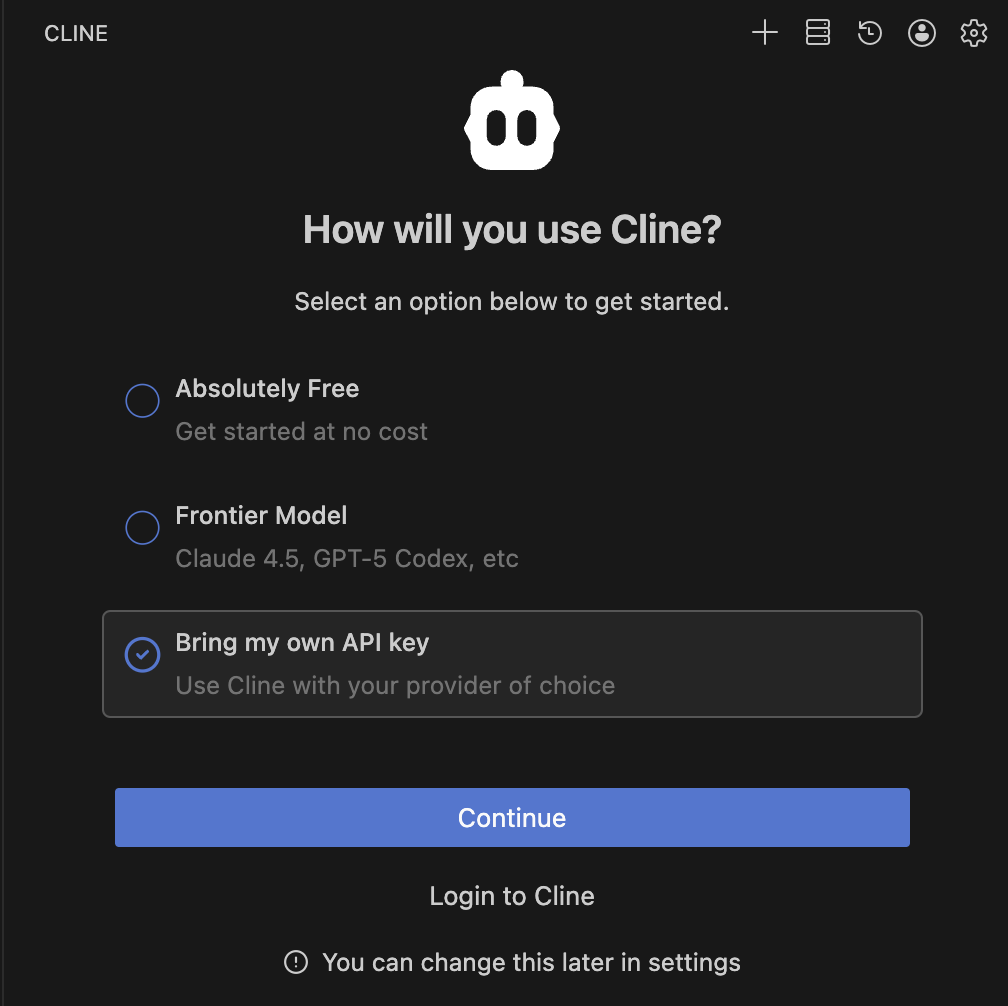
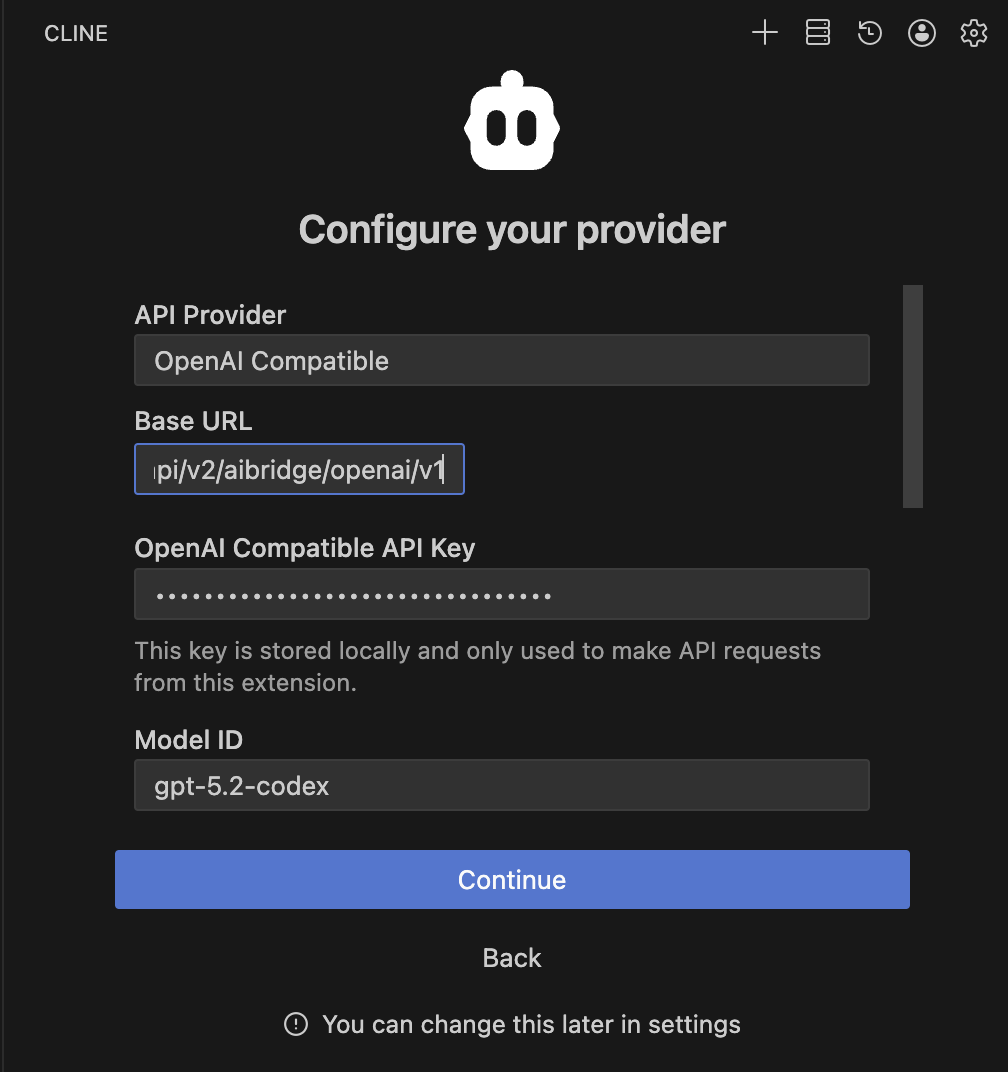
- API Provider: Select OpenAI Compatible.
- Base URL: Enter
https://coder.kyzdt.dev/api/v2/ai-gateway/openai/v1. - OpenAI Compatible API Key: Enter your Coder API token.
- Model ID (Optional): Enter the model you wish to use (e.g.,
gpt-5.2-codex).
Anthropic
- Open Cline in VS Code.
- Go to Settings.
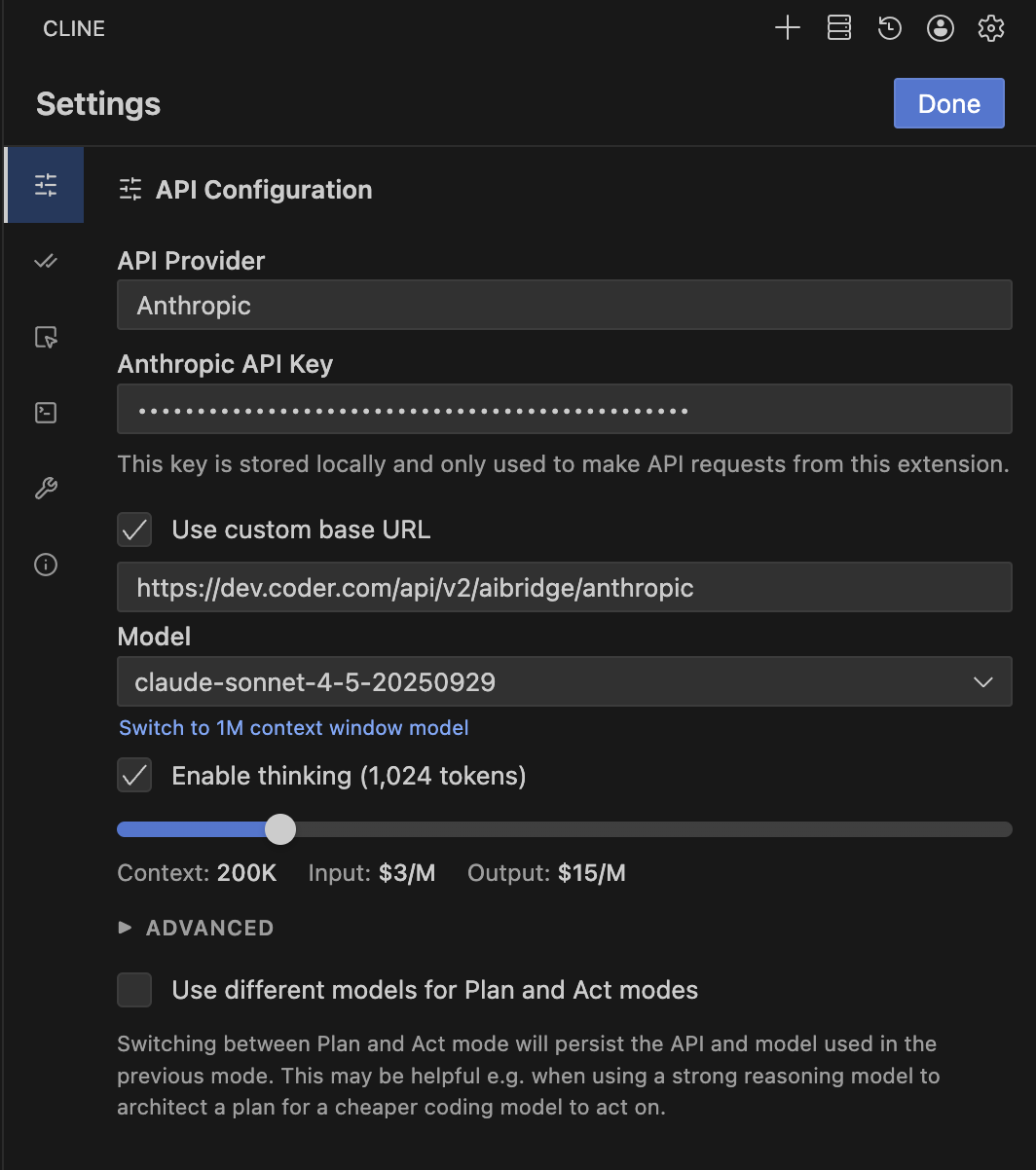
- API Provider: Select Anthropic.
- Anthropic API Key: Enter your Coder API token.
- Base URL: Enter
https://coder.kyzdt.dev/api/v2/ai-gateway/anthropicafter checking Use custom base URL. - Model ID (Optional): Select your desired Claude model.
BYOK (Personal API Key)
OpenAI Compatible
- Open Cline in VS Code.
- Go to Settings.
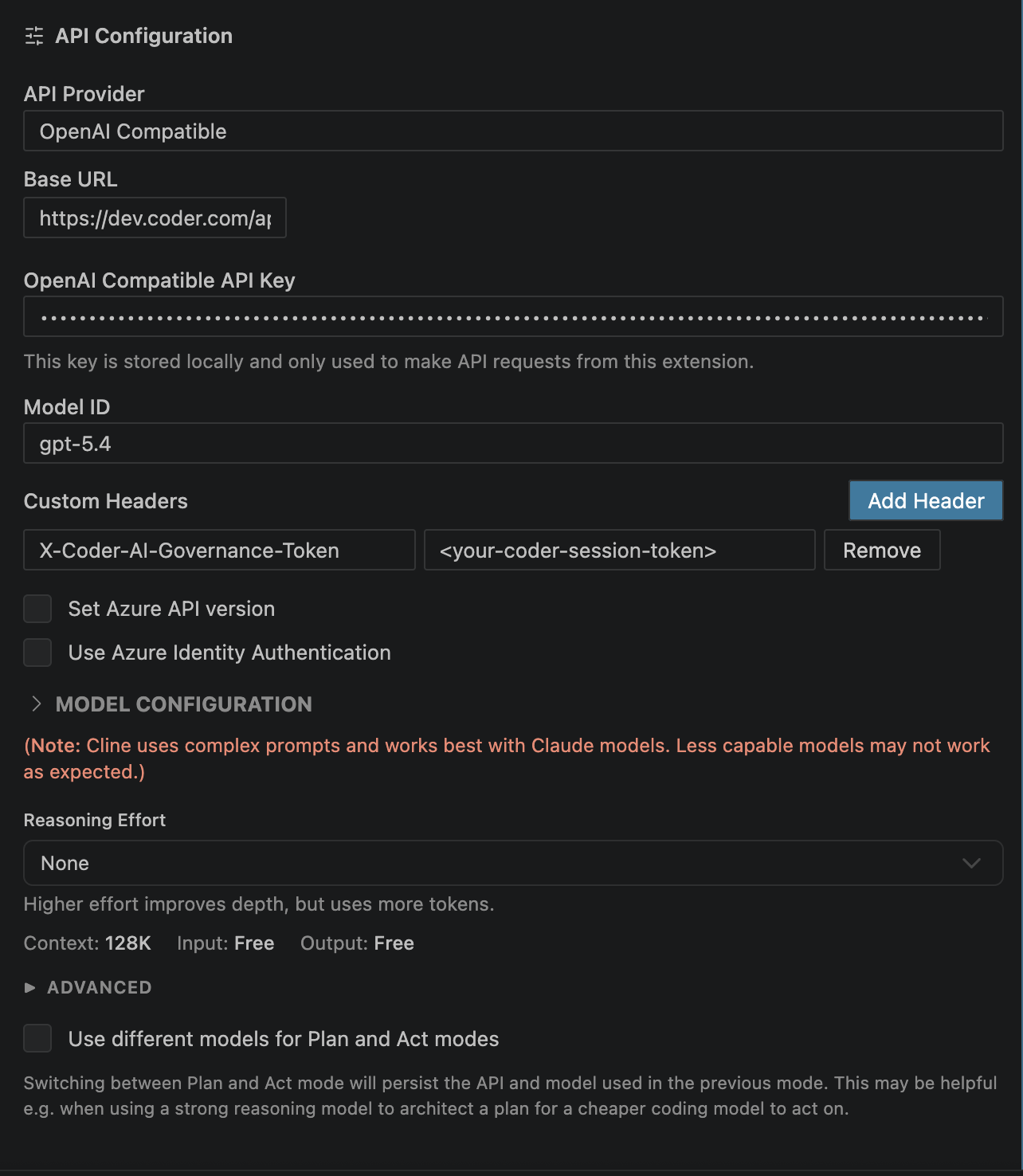
- API Provider: Select OpenAI Compatible.
- Base URL: Enter
https://coder.kyzdt.dev/api/v2/ai-gateway/openai/v1. - OpenAI Compatible API Key: Enter your personal OpenAI API key.
- Model ID (Optional): Enter the model you wish to use (e.g.,
gpt-5.2-codex). - Custom Headers: Add
X-Coder-AI-Governance-Tokenwith your Coder API token.
References: Cline Configuration